Dalux Box

A Common Data Environment doesn't have to be complicated

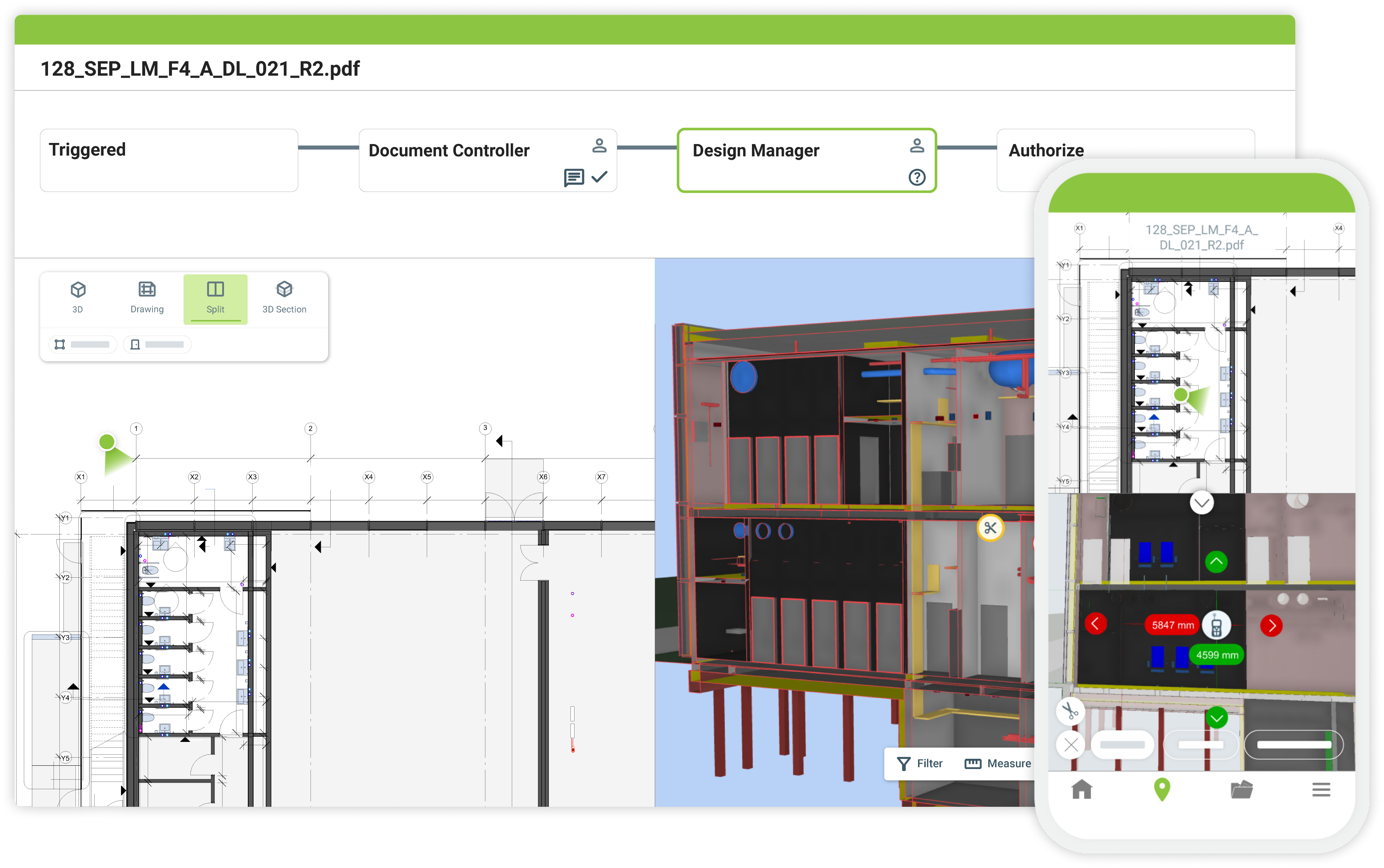
Dalux Box connects teams with BIM and project information in one unified platform, and is fully integrated with the rest of Dalux.

 It is a true Common Data Environment (CDE) built around BIM, to support smoother, more efficient construction management.

You're in good company

Hines logo

Information management

Many spaces. One platform.

ISO 19650 enabled

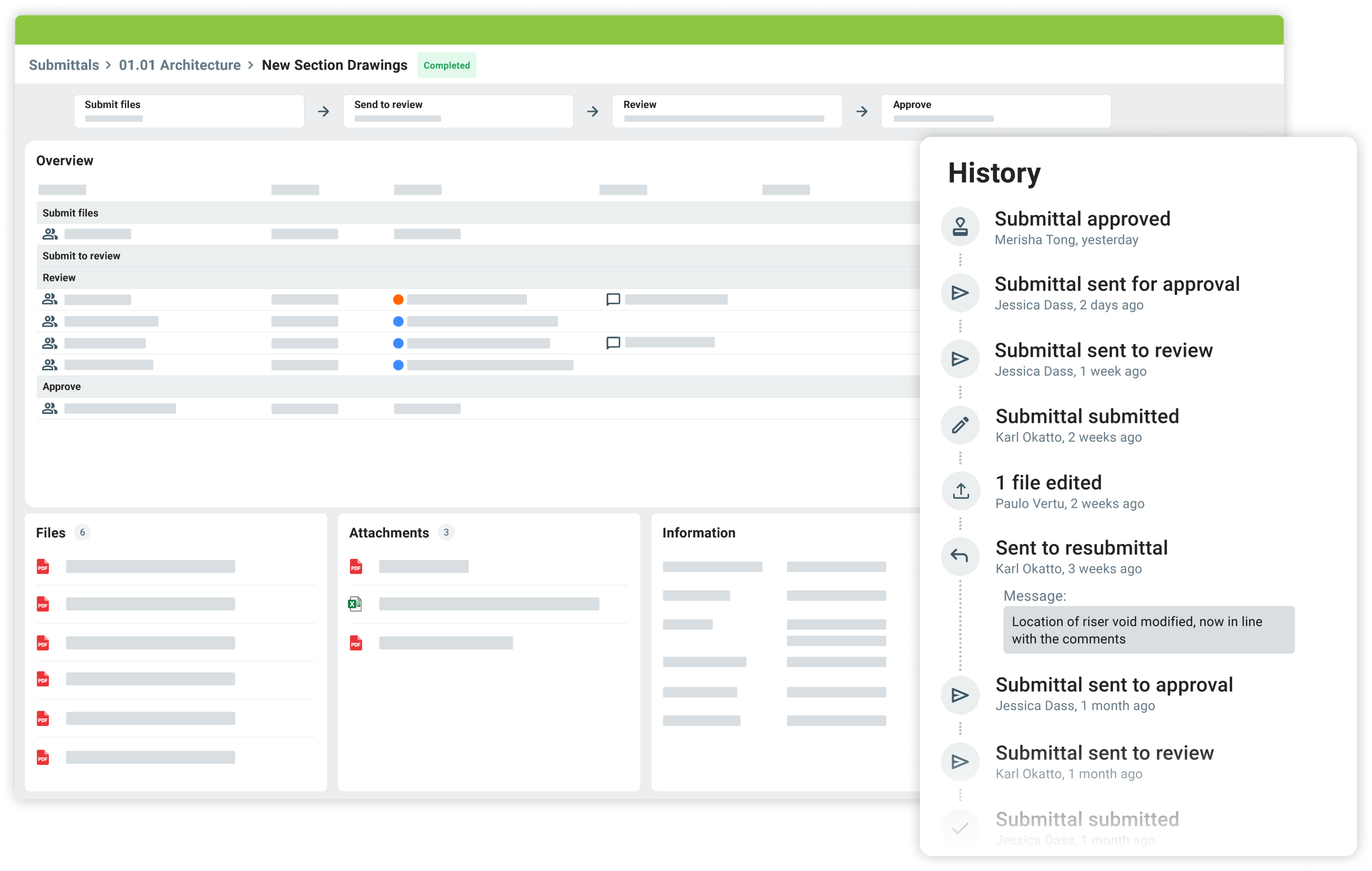
With clear, easy to use Shared and Published areas, approval workflows, and an enforceable file naming convention, you have the tools to digitalize your processes to enable ISO 19650 compliance.

A list of drawing names with their status and revision metadata

Custom File Metadata

Add custom metadata to files that help manage your project information better.

The standard metadata of a file in the background with the dialogue to create new custom metadata overlaid

Secure environment

Manage access to information and capabilities in a simple way. Ensure that project members only see what they are supposed to see.

DEsign management

Multiple discussions. One interface.

Collaborate your way

Communication methods and channels that work for you.
Remove the silos of information and bring the project team together in a single platform.

2D and 3D comments

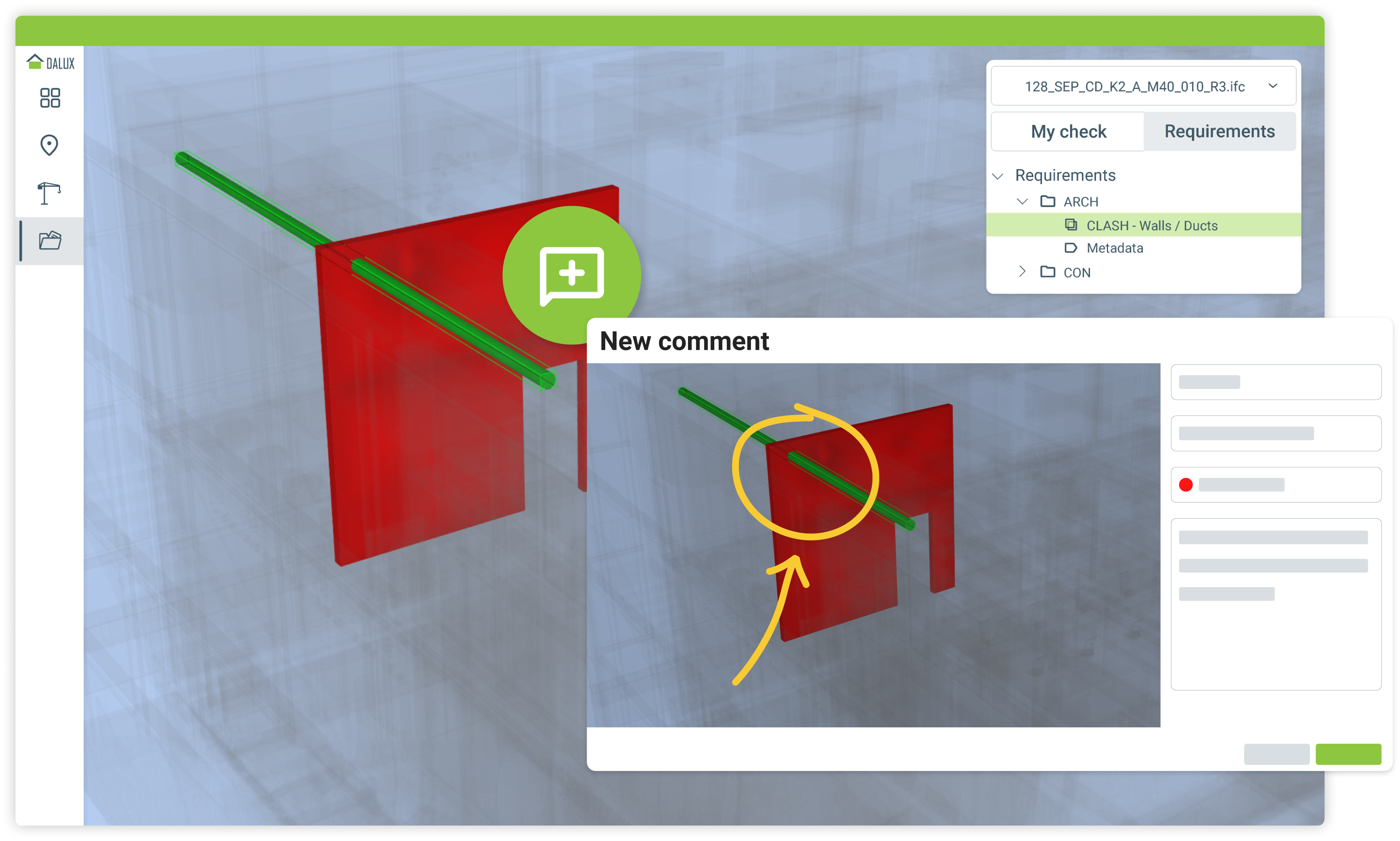
Comment in either 2D or 3D using the same interface. Create specific channels to help manage project communication.

Picture showing a 2D and 3D comment being created
Picture showing the checking comments from Dalux within the Revit interface.

Integrate to collaborate

Create and respond to queries directly from your authoring tool when using the Dalux plugins.

Try Dalux Box today.

Microsoft 365 Online integration

Review and edit Word, Excel, and PowerPoint files directly in Dalux Box.

2D and 3D compare

Compare versions of 2D drawings and documents or versions of a 3D model.

Model validation

Keep your models accurate, consistent and ready to build

Validate model data and geometry against your project requirements. Check everything from object properties and metadata to hard and soft clashes, and quickly identify issues as your models evolve.

Get updated results automatically (Automation)

Enable Automation to reprocess validation checks whenever new models are added or existing building files are updated. Stay on top of changes without having to rerun checks manually.

Keep your model data in check (Property checks)

Set project-specific rules for model properties and metadata to identify objects that don’t meet your requirements. Add comments to flag issues and notify the right people, or use Switch Back to make changes directly in Revit.

Stay tuned for new and exciting features coming soon!

Explore how our clients benefit by using Dalux Box

Looking for a more comprehensive solution?
Our local team is here to help.

Get started with Dalux Box

Fill out the form to get a local Dalux employee to help you getting started.

Looking for a more comprehensive solution?
Our local team is here to help.

Get started with Dalux Box

Fill out the form to get a local Dalux employee to help you getting started.